Scheduling meetings efficiently can be a game-changer for productivity, but not all scheduling tools are built the same.
Two popular options TidyCal and Calendly promise easy booking management, but they differ significantly in features, pricing, and user experience.
In this comparison, we’ll break down TidyCal vs Calendly across key areas so you can decide which one fits your workflow and budget best in 2026.
Overview: TidyCal vs Calendly
| Feature | TidyCal | Calendly |
|---|---|---|
| Ease of Use | ⭐⭐⭐⭐ | ⭐⭐⭐⭐ |
| Pricing | One-time lifetime | Recurring subscription |
| Payment Options | Stripe, PayPal | Stripe, PayPal |
| Integrations | Google, Office 365, iCal, Zoom, Teams | Google, Office365, iCal, Zoom, Teams, CRM |
| Best For | Solopreneurs, coaches, freelancers | Teams, enterprises, power users |
| Free Plan | Yes | Limited free plan |
| Automation | Basic | Advanced |
What Is TidyCal?
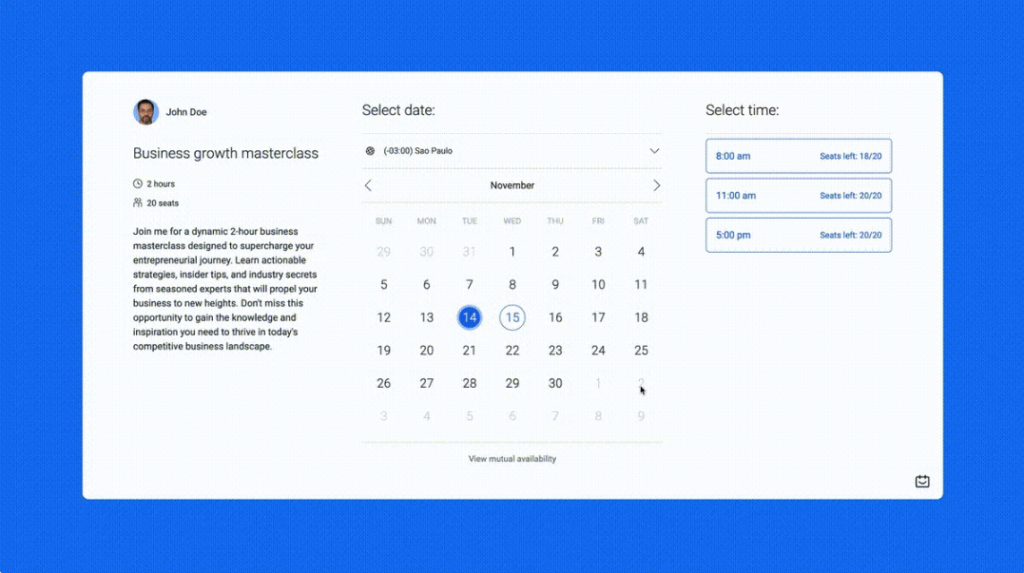
TidyCal is a simple scheduling tool designed to help individuals and small teams create booking pages, sync calendars, and manage meetings without paying heavy subscription fees.
It’s known for:
- Clean, minimalist interface
- Affordable lifetime pricing (especially via AppSumo)
- Core scheduling features without clutter
👉 Read our full TidyCal review for the detailed breakdown.
What Is Calendly?
Calendly is one of the most widely used scheduling platforms, especially for professionals and teams.
It offers:
- Powerful automation
- Team scheduling features
- Deep integrations with CRM and business tools
But all that power comes with higher recurring costs and a steeper learning curve for new users.
Ease of Use
TidyCal
- Very intuitive for beginners
- Minimal dashboard
- Quick setup
Winner: ✔️ Easy for anyone to use
Calendly
- Easy once set up
- Many features can overwhelm beginners
- More setup steps required
Winner: ✔️ More powerful but less beginner-friendly
Ease of Use
TidyCal
- Very intuitive for beginners
- Minimal dashboard
- Quick setup
Winner: ✔️ Easy for anyone to use
Calendly
- Easy once set up
- Many features can overwhelm beginners
- More setup steps required
Winner: ✔️ More powerful but less beginner-friendly
Calendly
Calendly uses monthly/annual subscription pricing:
- Free basic plan
- Essentials: $10/user/month
- Professional: $15/user/month
- Teams: $25+/user/month
💡 For most users, TidyCal is cheaper long-term.
Core Features Breakdown
📌 Booking & Pages
- TidyCal: Custom booking pages, group bookings, date polls
- Calendly: Advanced scheduling, workflows, round robin, collective scheduling
Edge: Calendly for team workflows
📌 Calendar Integrations
- TidyCal: Google, Office 365, iCal
- Calendly: Same, plus strong CRM tie-ins
Edge: Calendly for broader integrations
📌 Automation & Team Features
- TidyCal: Basic automation
- Calendly: Advanced automations, reminders, CRM links
Edge: Calendly
📌 Payment Handling
Both tools support payments:
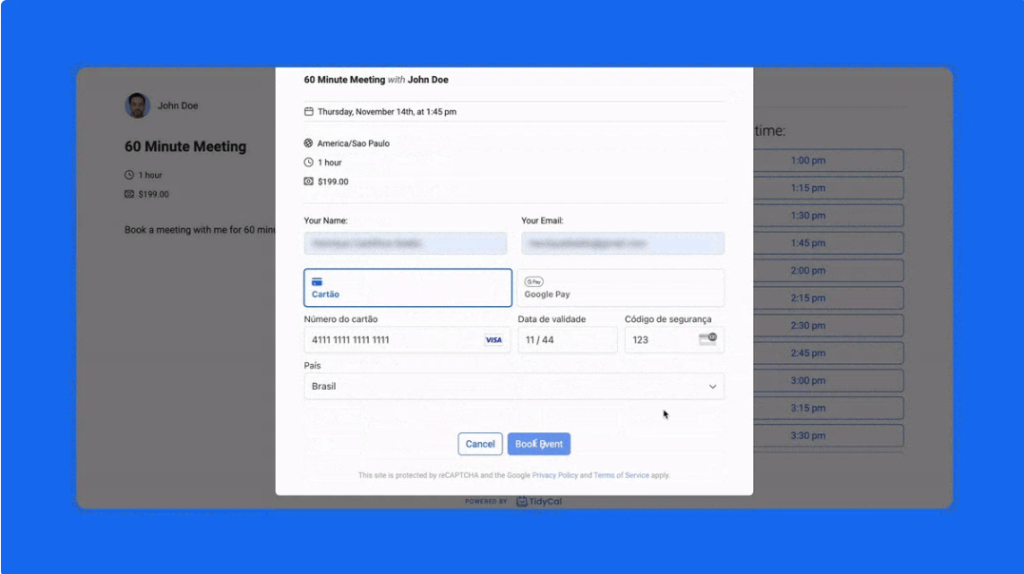
- TidyCal: Stripe, PayPal
- Calendly: Stripe, PayPal (some plans)
Edge: Tie on payment capability.
Pros and Cons
TidyCal Pros
✔️ One-time payment
✔️ Simple and fast
✔️ Ideal for individuals and small teams
✔️ Paid bookings supported
TidyCal Cons
❌ Fewer advanced automation
❌ Limited for large teams
Calendly Pros
✔️ Powerful automation
✔️ Team scheduling & round robin
✔️ Deep integrations
Calendly Cons
❌ Recurring cost
❌ Can be overwhelming for beginners
Calendly Pros
✔️ Powerful automation
✔️ Team scheduling & round robin
✔️ Deep integrations
Calendly Cons
❌ Recurring cost
❌ Can be overwhelming for beginners
Final Verdict
Both TidyCal and Calendly are excellent scheduling tools, but they serve somewhat different audiences:
🔹 TidyCal wins for simplicity and affordability; it’s perfect for individuals and small teams who want effective scheduling without expensive recurring fees.
🔹 Calendly wins for power users and teams who need deeper integrations and advanced automation.
👉 If your priority is value and ease, TidyCal is the better choice in 2026
Looking for a detailed review? Read our full TidyCal Review here.