Most scheduling tools try to do too much—and end up making simple meeting bookings unnecessarily complicated.
If you only want an easy way to let people book meetings, sync calendars, and even charge for sessions, many popular tools feel bloated.
That’s exactly the problem TidyCal aims to solve.
In this TidyCal review, we’ll explore its core features, pricing, pros and cons, and whether it’s a good Calendly alternative—especially with its AppSumo lifetime deal.
What Is TidyCal?
TidyCal is an online scheduling and booking tool designed to keep things simple.
It lets you create booking pages, connect calendars, and manage meetings without complex workflows or expensive monthly plans.
It’s built for people who want results—not a learning curve.
Best suited for:
- Freelancers and consultants
- Marketing and sales teams
- Agencies managing client calls
- Anyone tired of overcomplicated scheduling tools
Key Features of TidyCal
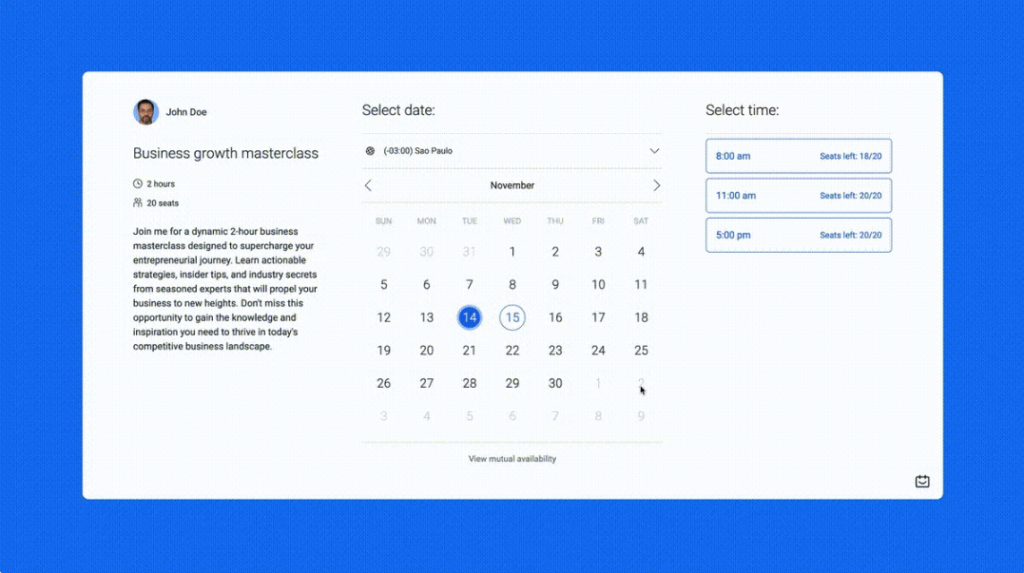
Custom Booking Pages
TidyCal allows you to create custom booking pages where visitors can:
- See your real-time availability
- Choose a meeting type
- Book instantly without email back-and-forth
You can control availability rules, buffers between meetings, and booking limits—all from one dashboard.
Unlimited Booking Events
You’re not limited to one type of meeting.
With TidyCal, you can create:
- One-on-one meetings
- Group sessions
- Time-based events
- Date polls to find the best meeting time
This makes it flexible enough for sales calls, coaching sessions, interviews, or team meetings.
Calendar Integrations
TidyCal connects with major calendar providers to prevent double bookings.
Supported integrations include:
- Google Calendar
- Office 365
- iCal
It checks availability in real time and can sync multiple calendars if needed.
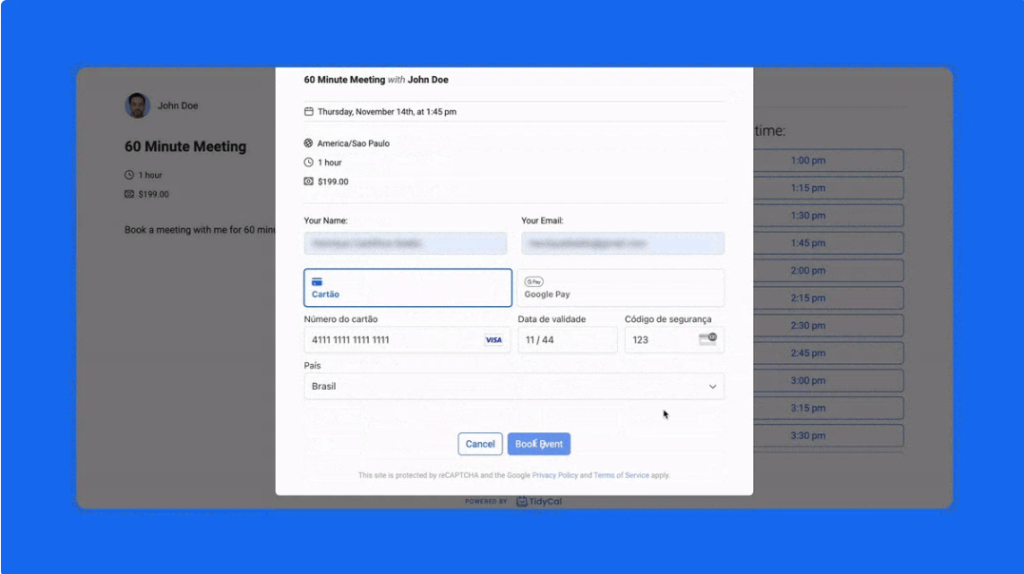
Paid Bookings
One standout feature is the ability to charge for meetings.
You can accept payments through:
- Stripe
- PayPal
This is especially useful for coaches, consultants, and freelancers who sell sessions by the hour.
Clean, Distraction-Free Interface
TidyCal focuses on usability:
- Minimal design
- Easy navigation
- Fast setup
You can create and share your first booking link within minutes.
TidyCal Pricing (AppSumo Lifetime Deal)
TidyCal is available on AppSumo with one-time lifetime pricing, which is a major reason for its popularity.
Individual Plan – $29 (Lifetime)
- Unlimited bookings
- Calendar integrations
- Reduced TidyCal branding
- Paid bookings enabled
Agency Plan – $79 (Lifetime)
- Unlimited team members
- Advanced integrations (Zoom, Teams)
- Team and round-robin meetings
- Custom branding options
Both plans come with a 60-day money-back guarantee.
Pros and Cons of TidyCal
✅ Pros
- One-time lifetime pricing
- Easy to use, even for beginners
- Supports free and paid bookings
- Lightweight and fast
- Excellent value compared to Calendly
❌ Cons
- Fewer advanced automation features
- Not designed for large enterprises
- Limited customization for complex workflows
TidyCal vs Calendly (Quick Take)
Calendly is powerful, but many users only need a fraction of its features—and don’t want monthly fees.
TidyCal focuses on:
- Simplicity
- Affordability
- Essential scheduling features
If you want a straightforward booking tool without recurring costs, TidyCal is often the better option.
Who Should Use TidyCal?
- Freelancers selling paid sessions
- Consultants and coaches
- Agencies booking client calls
- Small teams needing simple scheduling
Who Should Skip TidyCal?
- Large enterprises
- Teams requiring complex automation
- Businesses deeply tied to enterprise CRM workflows
Final Verdict
TidyCal delivers exactly what most people need from a scheduling tool—without unnecessary complexity or monthly fees.
If you want a clean, affordable, and easy-to-use alternative to Calendly, TidyCal is absolutely worth considering, especially with its lifetime AppSumo deal.